Digital Estate Planning for Normal People
Acest articol este disponibil și înromână
• 3 minutes read
Our passwords, photos, domains, subscriptions and sometimes money are scattered across dozens of services. Once we are gone, our families do not automatically inherit the means to access them.
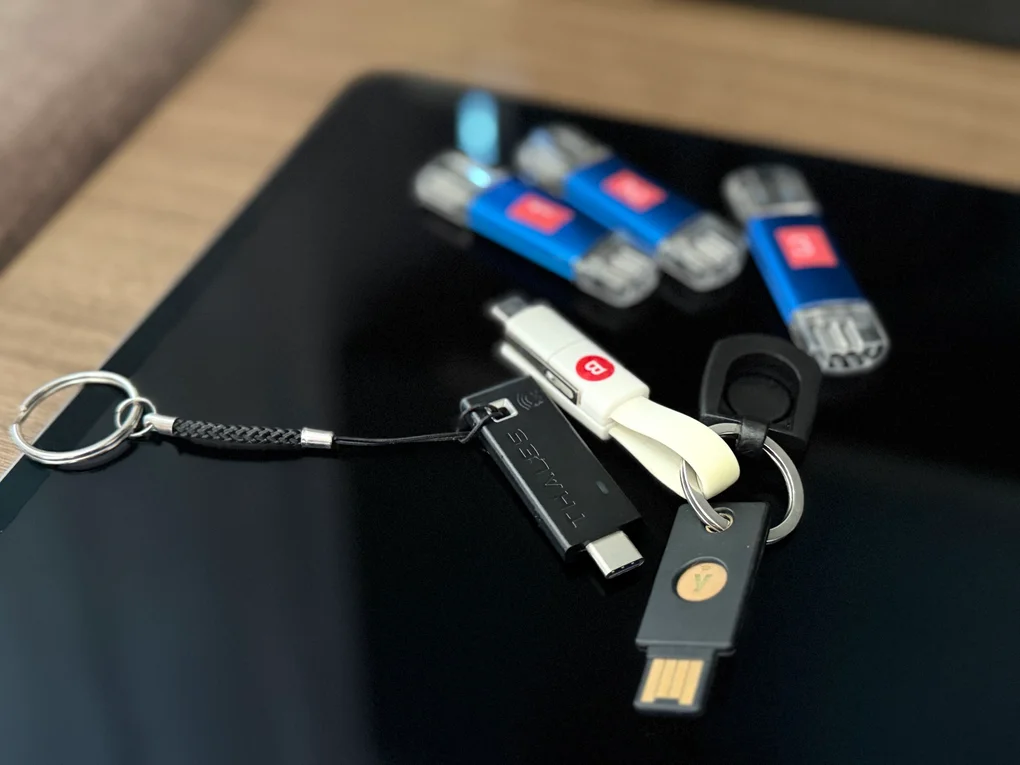
A few days ago, I started working on a serious project, the sort that becomes necessary once you have reached the venerable age of 40: a mammoth document containing everything Loredana would need to sort out my digital life if I were no longer able to do it myself.
It is not a will, nor is it merely a list of passwords. It is more like an instruction manual for the traces I would leave behind: our family accounts, the NAS and photo archive, the domains I have registered, online services, subscriptions, devices and enough guidance for her to decide what to keep for herself and Ștefan, what to close and what to let disappear quietly.
I opened the document with a simple message: “Dear Loredana, if you are reading this, chances are you have finally got rid of me.” Not because death is particularly funny, but because the last thing I want to leave my family is yet another solemn document written like the terms and conditions of a life insurance policy.
The joke only lasts until the first password known by nobody except the dearly departed. If you are even moderately connected to modern life, you have a primary email account, photos you have never printed, documents in the cloud, conversations going back twenty years, a phone that unlocks biometrically, several subscriptions taking money every month and perhaps a few domains, a server humming away somewhere at home or money in an app your family does not even know exists. In other words, you already have a digital estate. You probably just do not have a plan for it.
What gets locked away with you
When we die, our digital assets do not disappear. Access to them, however, can vanish instantly.
Your email address and phone number are the central pieces. They are used to reset passwords for almost every other service. Your phone receives authentication codes. Your password manager holds the keys to the rest of your digital house. If all three depend on one another, your family can end up facing a perfectly closed loop: the email requires the phone, the phone requires a code, and the code sits inside a password manager that wants confirmation by email.
Then there are the things with sentimental value: photographs, videos of your child, messages from people who are no longer around, recordings and personal projects. They are worth nothing to the tax authorities, but are crucial to your family. The thing is that you were always the person who handled the backups, and nobody else knows where the full archive lives.
There are also assets in the conventional sense: money, investments, cryptocurrency, domains, websites, software licences and possibly recurring income. An important distinction must be made here. Heirs may have rights to an asset, but that does not mean they should access a banking app using the identity and password of the deceased. Banks and other regulated services have formal inheritance procedures. The document should tell your family where the assets are and whom to contact, not teach them how to impersonate you after your death.
Finally, there are the expenses that continue with admirable discipline, because Netflix does not join the family in mourning: hosting, cloud storage, mobile service, software, donations and all sorts of forgotten subscriptions. Without a list, the family discovers them once they probably get suspended when payments start failing.
Passwords are not a plan
The first impulse is to put every password into a spreadsheet and mark the problem solved. That is better than nothing, but not by much. Passwords change. Some accounts use passkeys. Others require an authentication code, approval from a trusted device or a hardware key. A crypto wallet seed phrase is not the same thing as the app password. And knowing the phone passcode does not automatically solve the problem when an account detects an unusual login and demands another form of verification.
Worse, a complete list of passwords left in a drawer is also a complete account-hijacking kit for anyone who gets hold of it too soon. The plan therefore needs two layers. The first is the inventory: what exists, where it is and what should happen to each item. The second is access: passwords, recovery codes, keys and instructions, stored separately and protected well enough that preparing your family does not become a security breach with a bow tied around it.
What I put in the file
There is no universal checklist, but mine starts with a few straightforward categories:
- primary email accounts and the purpose of each one;
- phones, tablets and computers, including the required passcodes and the location of recovery keys;
- the password manager and the method for obtaining emergency access;
- the NAS, backups and the location of the family archive;
- Apple, Google, Meta and the other services holding personal data;
- domains, hosting, certificates and online projects that must be renewed or shut down;
- banks, fintech services, investments and crypto wallets, along with instructions confirming their existence and explaining the proper way to claim them;
- recurring subscriptions;
- the people to contact about anything the document cannot explain on its own.
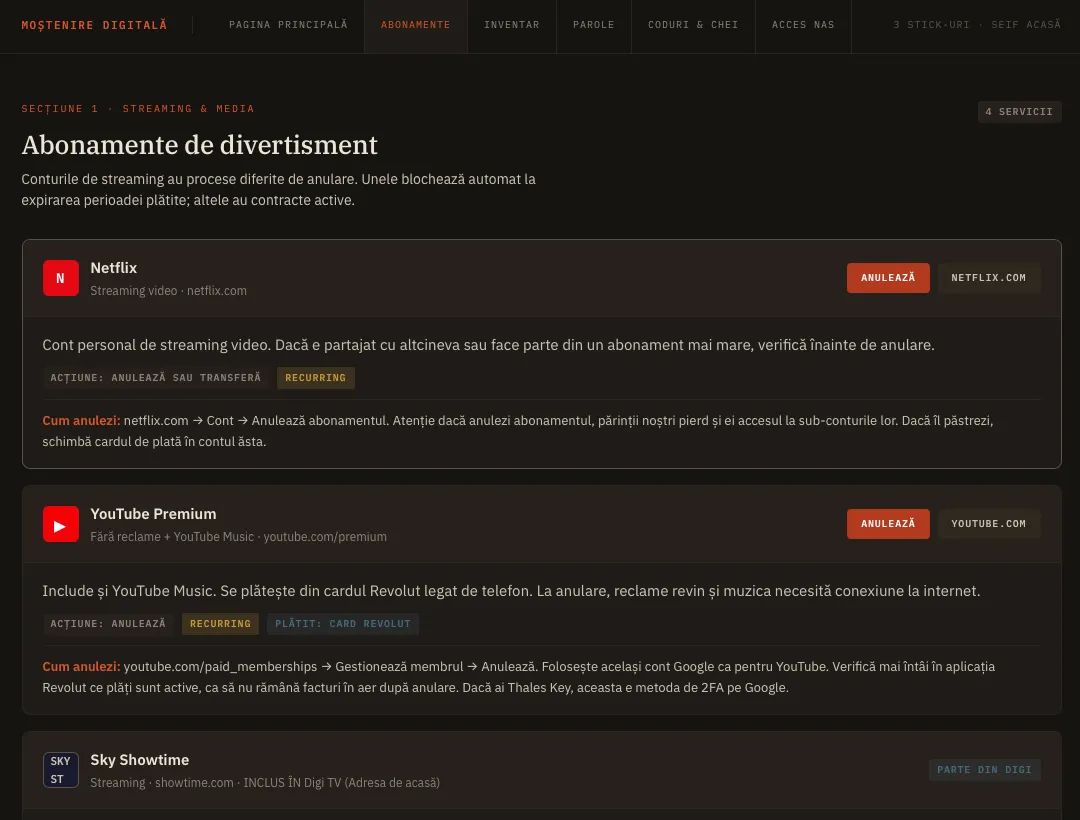
You do not need to write a novel about every account. You need to provide enough information that the person opening the file does not have to launch a forensic investigation while dealing with other, far heavier matters.
Where to keep the information
I chose an encrypted USB drive. It is physical, it can be kept in a known location and it does not depend on a service that may change or shut down. But a USB drive is not magic. It can fail or go missing, and a five-year-old document can be more dangerous than no document at all because it gives you the impression that you have a solution.
The file therefore needs at least one backup and a date when it must be reviewed. Once or twice a year is enough for most people. Open it, check that the instructions still make sense, update whatever has changed and test that the file can actually be read.
Another option is a password manager with emergency access. Bitwarden, for example, allows eligible users to designate a trusted person who can request access. The request is granted after a waiting period if the account holder does not reject it. The mechanism and its conditions are explained here.
Paper also remains a decent option for a few essential keys. A sealed envelope in a safe has no firmware, does not expire and never asks you to accept updated terms and conditions. You just need to avoid hiding it so well that nobody can ever find it.
Whatever medium you choose, the password or key that opens the archive should not be stored next to the archive. Otherwise, the encryption is merely decorative. You can send the key by email or give it in advance to the person you have chosen to inherit the USB drives. The important part is not to leave it in the same place as the drives themselves.
Use the tools the platforms already provide
Your own file solves the practical access problem, but it does not replace the official options provided by the platforms. Then again, the official platform options do not solve your entire problem either, because no provider wants to assume the risk of giving a third party access to every piece of data associated with an account. I think the better approach is a dual plan: your own arrangement, which gives a chosen heir access to your accounts through a somewhat grey-area route, and the official but severely limited route.
Apple Legacy Contact
Apple lets you designate one or more people who can request access to certain account data after your death. The contact needs the access key generated during setup and your death certificate. They may receive photos, messages, notes, files and backups, but they do not receive purchased content or the passwords and passkeys stored in iCloud Keychain. On iPhone and iPad, the setting is under Settings > [your name] > Sign-In & Security > Legacy Contact, with an equivalent section on the Mac. Apple's official instructions are available here.
In other words, Legacy Contact is very useful for data. It is not a master key to your Apple ecosystem.
Google Inactive Account Manager
Google lets you decide what happens when an account has been inactive for a period you specify. You can designate up to ten people and choose which types of data each person may download. Google determines inactivity using several signals, not merely the last login. The setup process and the mechanism's limitations are described here.
The important point is that your designated person does not simply receive your password and the freedom to become you. They receive access to the data you chose to share.
Facebook Legacy Contact
Facebook can turn a profile into a memorialised account and allow a Legacy Contact to manage a few public elements: the pinned post, certain friend requests, the profile picture and, if you have allowed it, the download of a copy of the account content. The designated person cannot log in as you or read your private messages. Alternatively, while you are still alive, you can request that the profile be deleted after your death.
The wording matters here: a Legacy Contact manages a memorialised profile. They do not “get your Facebook account.”
Talk to the person who will have to deal with it
You can build the world's most elegant encrypted archive. If nobody knows it exists, you have created a very secure and completely useless puzzle.
Loredana needs to know where the USB drive is, how she will receive the key and what she will find inside. She does not need to memorise the architecture of our home network or learn domain administration in a single evening. She only needs to know where to start and whom to call if something does not work.
It is equally important to write the document for the person who will use it, not for yourself. “Photo backup on NAS” may be perfectly clear today. Ten years from now, to somebody else, it may mean a black box humming in a cupboard that nobody dares unplug.
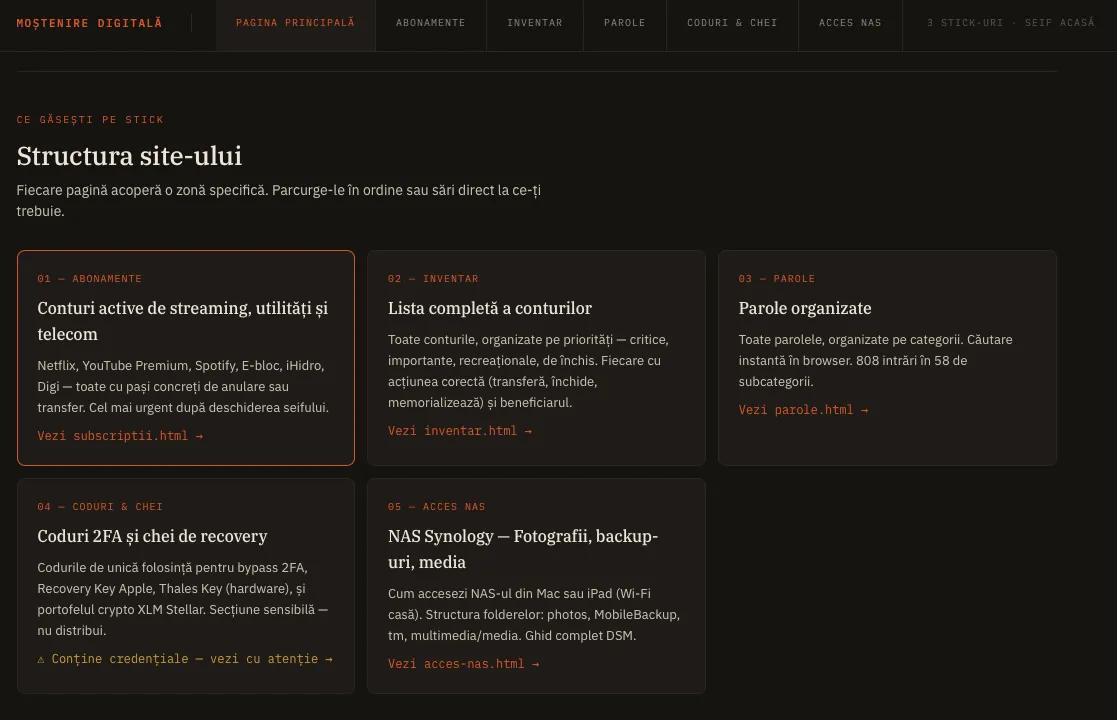
Explain the terminology. Add screenshots where they help. Note what must be saved before an account is closed. State clearly what can be deleted. And leave the name of a technically competent person you trust, because no document can anticipate every creative way technology might refuse to cooperate at precisely the moment when everyone has the least patience for it.
How long does it take?
The first version can be completed in a weekend. The inventory takes a few hours. Configuring the Apple and Google options takes a few more minutes. The hard part is not technical. It is the painstaking work of bringing every account up to date, changing passwords already known to have been compromised, enrolling hardware MFA keys and documenting everything.
It does not all need to be perfect. There simply needs to be enough documentation for somebody to find and follow.
I am not working on this file because I expect to die tomorrow. I am doing it for the same reason I keep backups, carry insurance and have a fire extinguisher in the house: I hope I will never need it, but hope is not a continuity plan.
If you have a partner, children or simply people to whom you would rather not leave a pile of locked accounts, prepare a summary for them and tell them where to find it when they need it. Explain where to begin.
For you, the problem disappears on the day you are gone. For them, that is the day it begins.